 PDF ↗
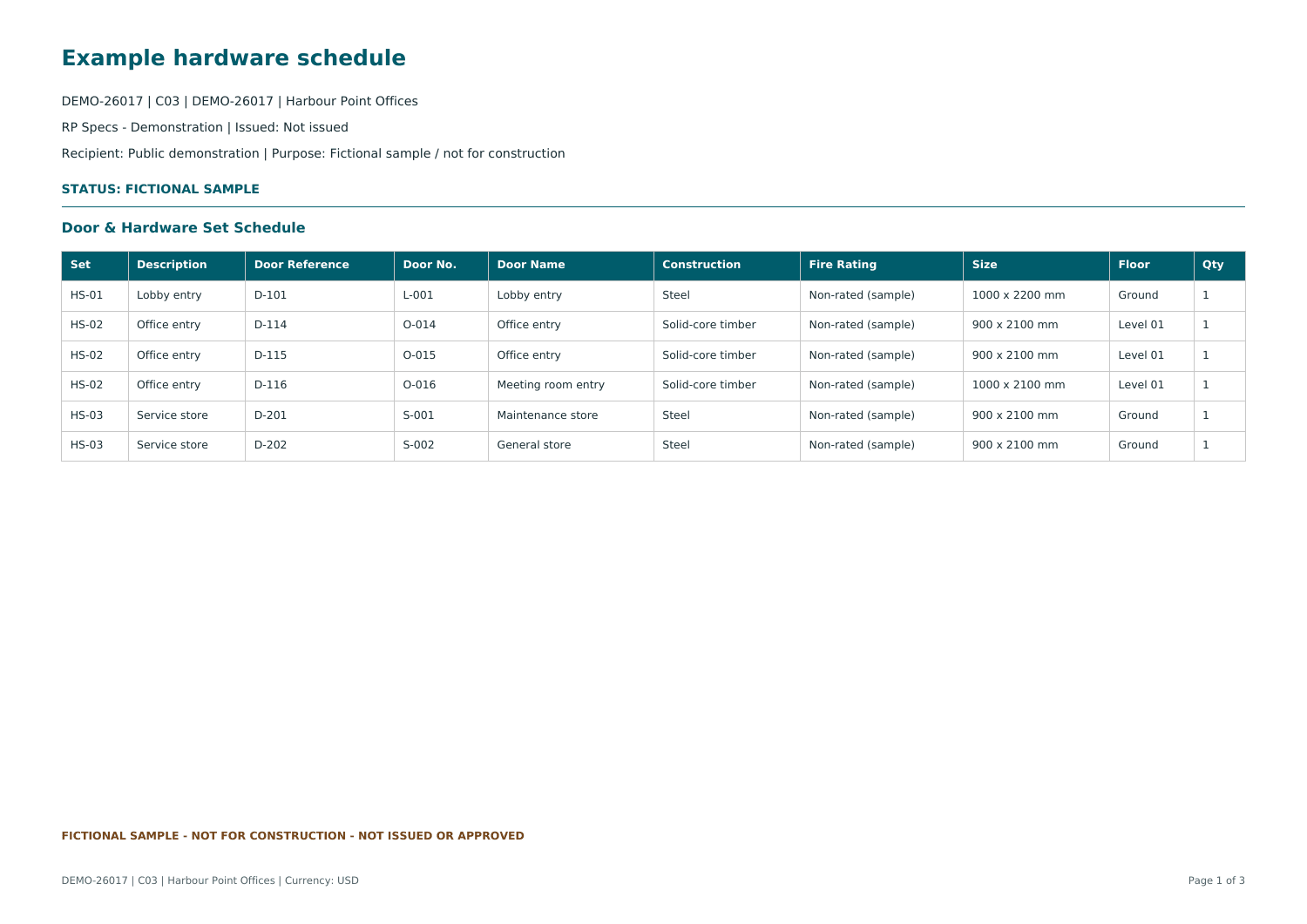
PDF ↗Hardware set schedule
Inspect three sets, six individual doors and the generic hardware specified for each set.
Open sample PDF →Bring door schedules, hardware sets, master-key access and pricing together. Carry the same project data through to your next technical issue.
For architectural hardware suppliers, specifiers and project teams.
Prefer a guided walkthrough? Book a demo →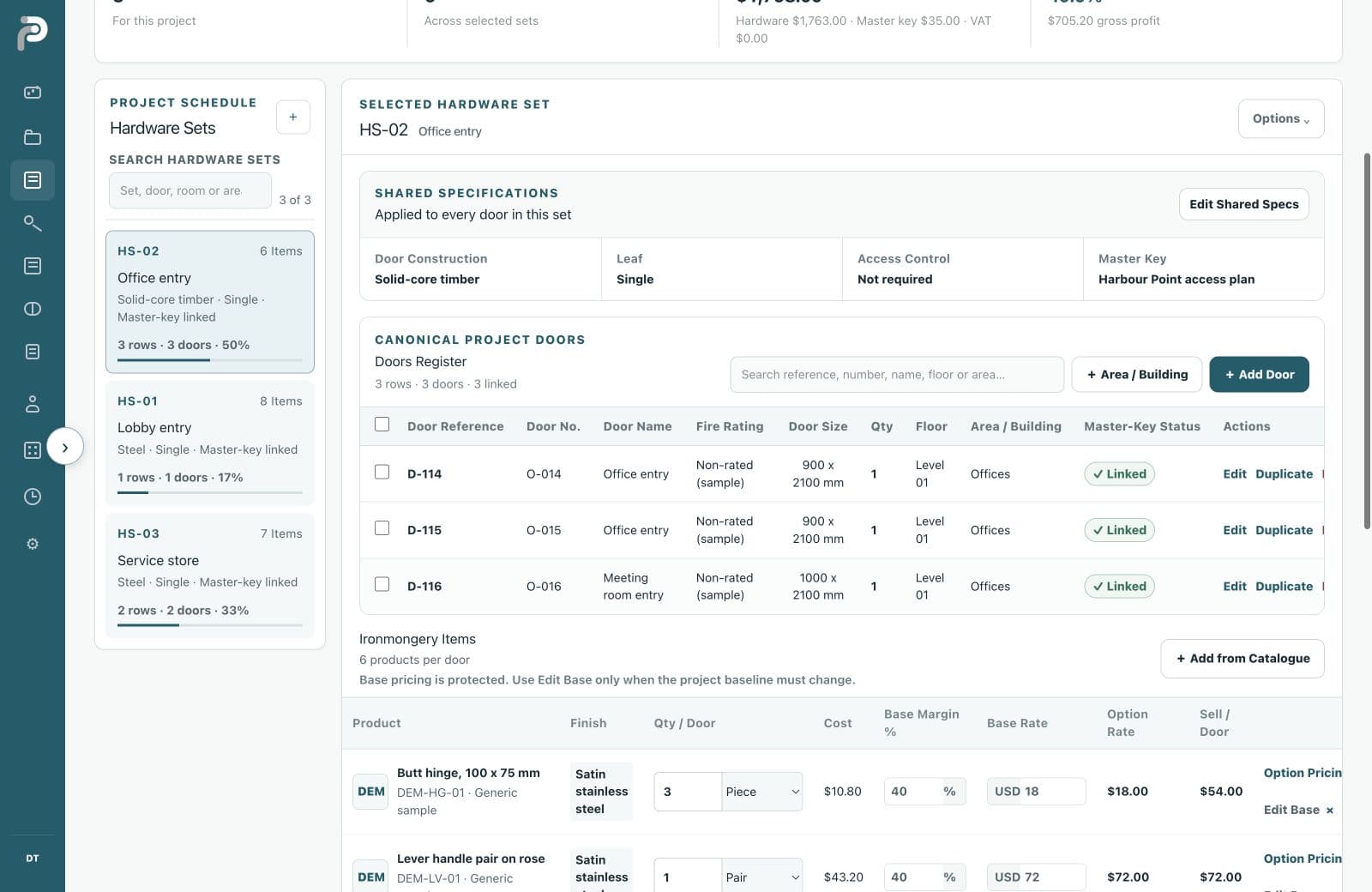
Follow a real walkthrough: open the project, check a schedule, inspect hardware and access, then review quantities, pricing and the customer quotation. English narration and captions included.
Let's open Harbour Point in RP Specs. Find the project, open the schedule, and everything we need is here.
Here, I've loaded the door schedule. The columns are mapped automatically. Before applying anything, I can review the existing doors and validation warnings.
Let's switch from the lobby set to the office doors. Find a specific opening, then review the hardware and quantities assigned to that shared set.
Next, the key hierarchy. Open the access matrix, search the office doors, and see which master keys open each one.
In the bill of quantities, I can separate master-key items from the hardware, then bring everything back into one consolidated list.
Before submitting, let's review pricing. Check for negative margins, then return to all the lines to review costs and selling rates.
Now, check the supporting documents. Search for the door closer, and the missing files are visible before we prepare a technical submittal.
Finally, open the quotation preview. The quantities and project details are already here, ready to review before downloading the customer document.
See your project in RP Specs. Book a walkthrough with RP Solutions.
Explore the current RP Specs interface through one fictional project. Choose the part of the work that matters to you.
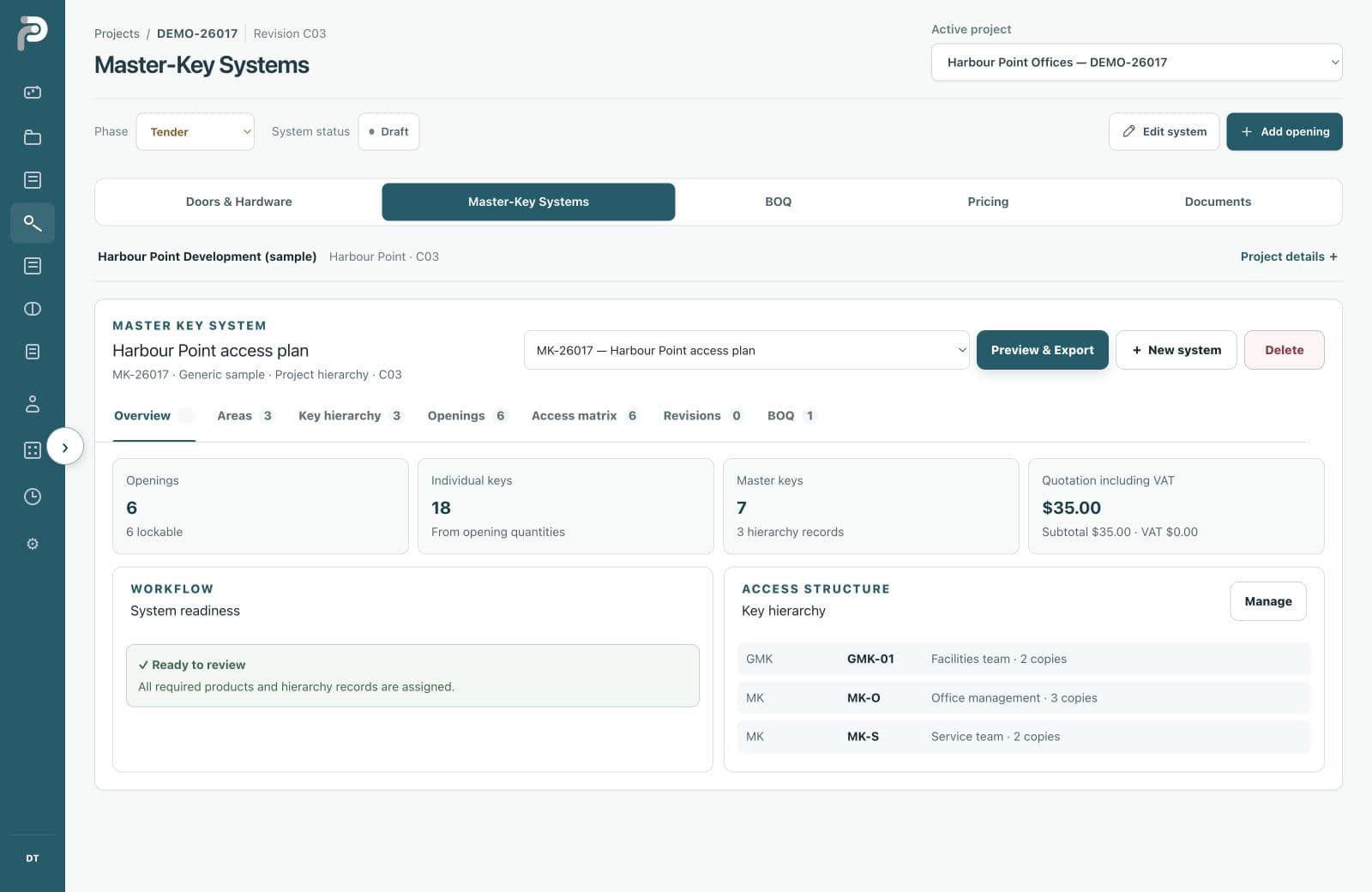
See the openings, hierarchy and readiness of the access plan together. Follow the door identity you already established in the hardware schedule.
Three office doors become twelve. What happens to the hardware? Move the slider and see why a connected specification matters.
Choose a door count, then select a product to find it on the drawing.
Fictional HS-02 example · USD sample rates. Excludes tax, installation and hierarchy keys. This illustration does not edit a workspace or change issued documents.
The specification has to leave the screen. Explore the schedules, quantities and access relationships your team will review.
PDF ↗Inspect three sets, six individual doors and the generic hardware specified for each set.
Open sample PDF →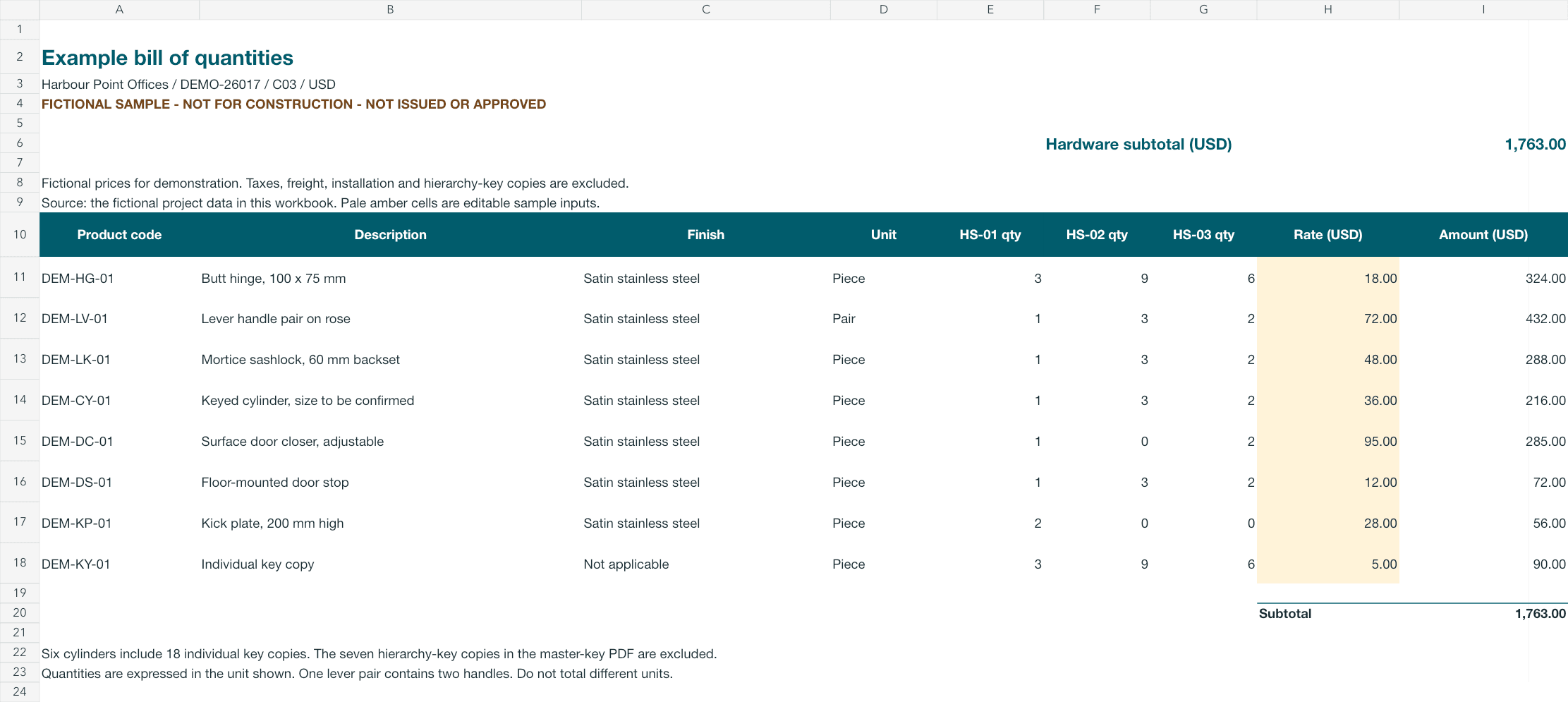 XLSX ↗
Trace eight product lines back to the door and set quantities. Change an illustrative rate to explore the calculated total.
Download workbook →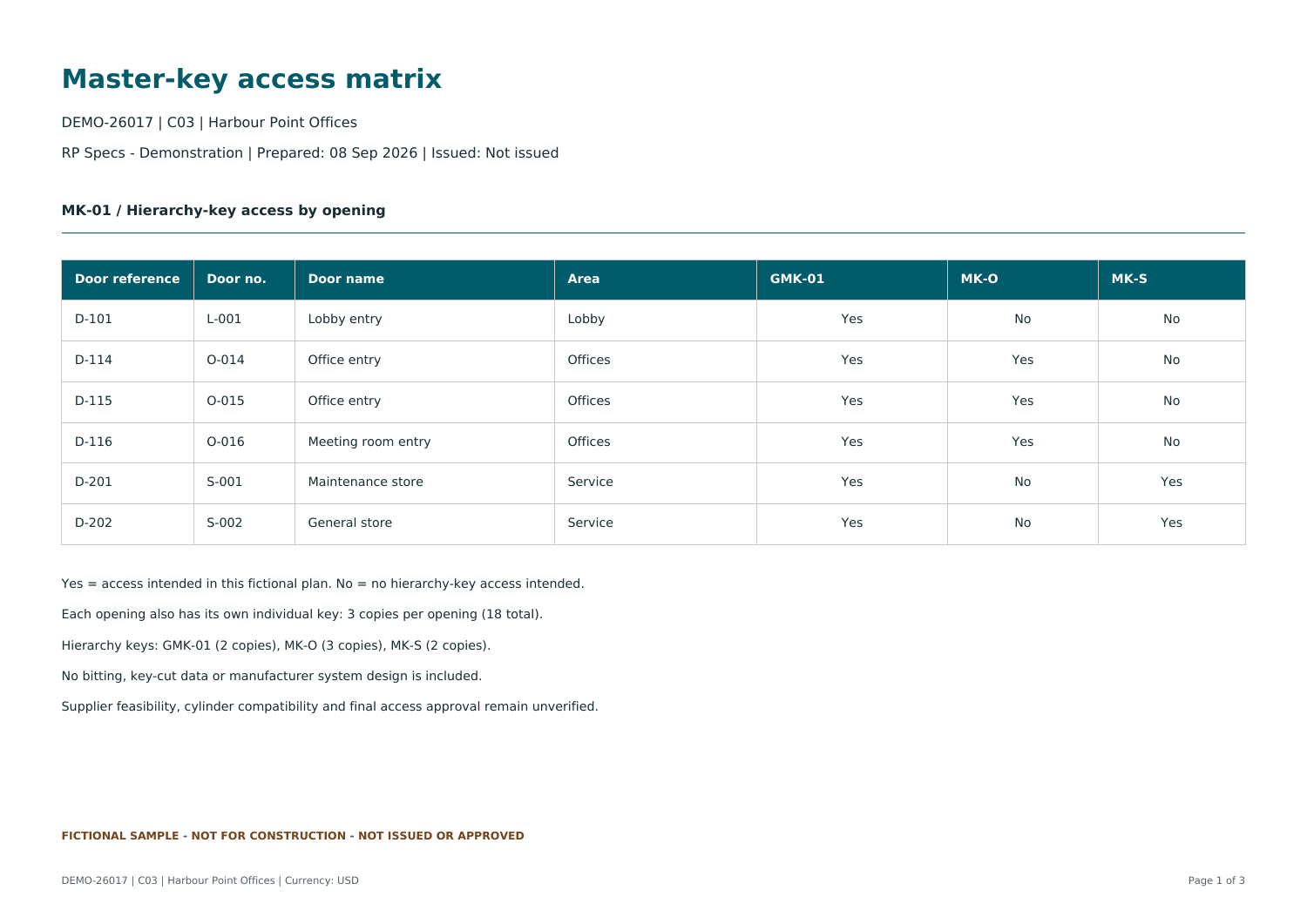 PDF ↗
PDF ↗Review the grand-master, office and service access relationships across the six sample openings.
Open sample PDF →Harbour Point Offices · fictional demonstration documents. Hardware workbook excludes hierarchy key copies. See Resources for scope and export details.
A revised specification needs a clear history. Capture selected records with their reference, revision, recipient and copy number, then continue the next round of work.
Issue-time records retained
Use the trial to evaluate your own workflow: one schedule, a few hardware sets and the outputs you need to review.
Choose a plan for your team and configure your company details.
Import your file, review the validation and coordinate the first hardware sets.
Check quantities, explore access and pricing, and prepare the selected outputs.
Compare plans by users, active projects and storage. Trial length and payment terms are shown before checkout.
Compare plans →Yes. Import XLSX, XLS, CSV or JSON, map the source columns and review validation findings before applying the schedule. You can also build hardware sets and doors manually.
Explore the current product screens and downloadable fictional examples here, or book a focused walkthrough with RP Solutions using the demo page.
Yes. Company records and private files are scoped to workspace membership. Invite your team within your plan’s seat limit and assign appropriate access roles.
Choose a plan to see its trial length. A payment method is required. Checkout confirms when the trial ends and the recurring charge; cancel renewal before the trial ends to avoid the subscription charge.
Choose a plan for your team, or take a focused walkthrough with RP Solutions.