PDF / 3 pages · 350 KB
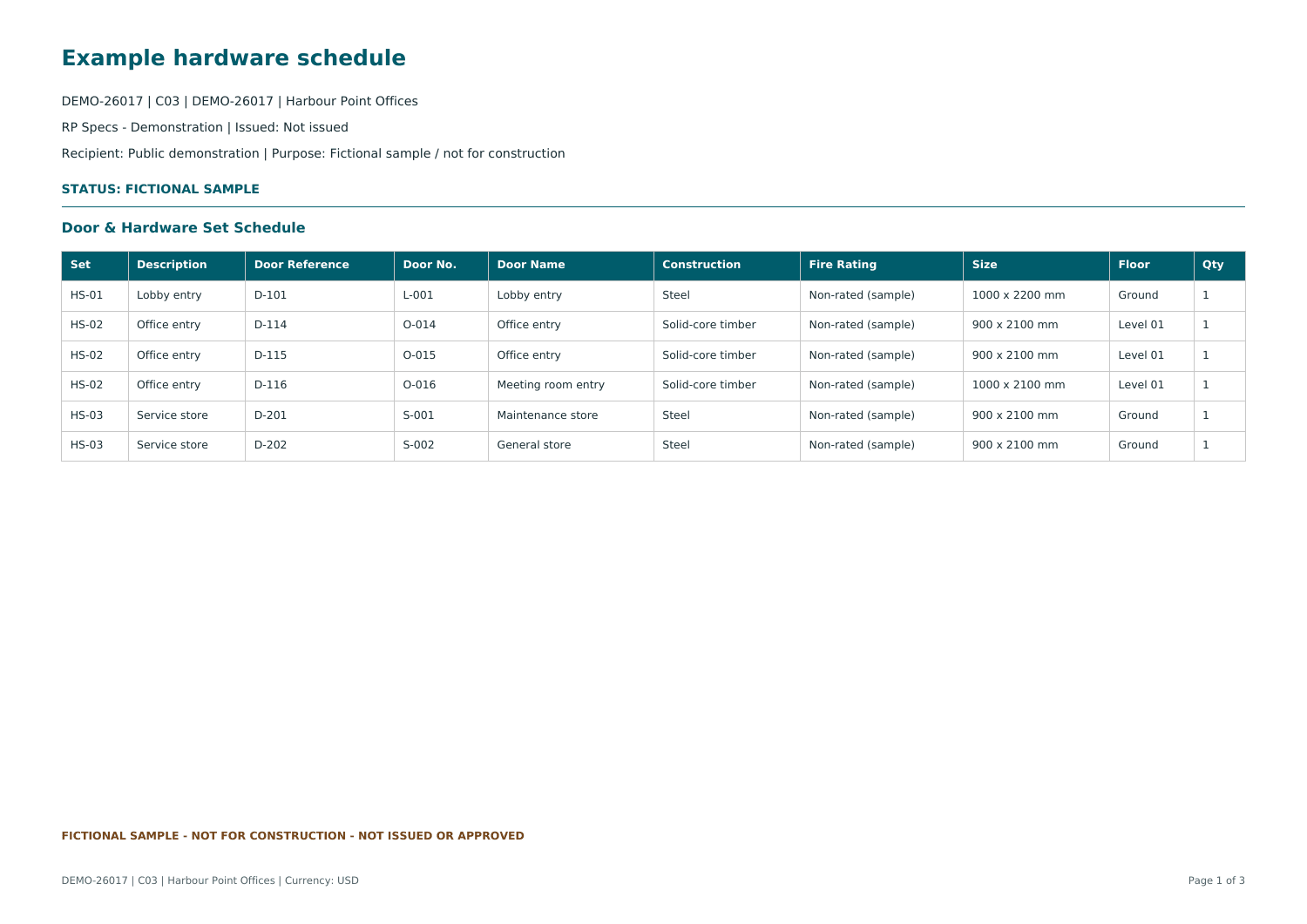
Hardware set schedule
Inspect three sets, six individual doors and the generic hardware specified for each set.
Register pages use the RP Specs PDF export.Download PDFUseful sample documents for a six-door office project. Explore the quantities, access relationships and package structure without creating an account.
Inspect three sets, six individual doors and the generic hardware specified for each set.
Register pages use the RP Specs PDF export.Download PDF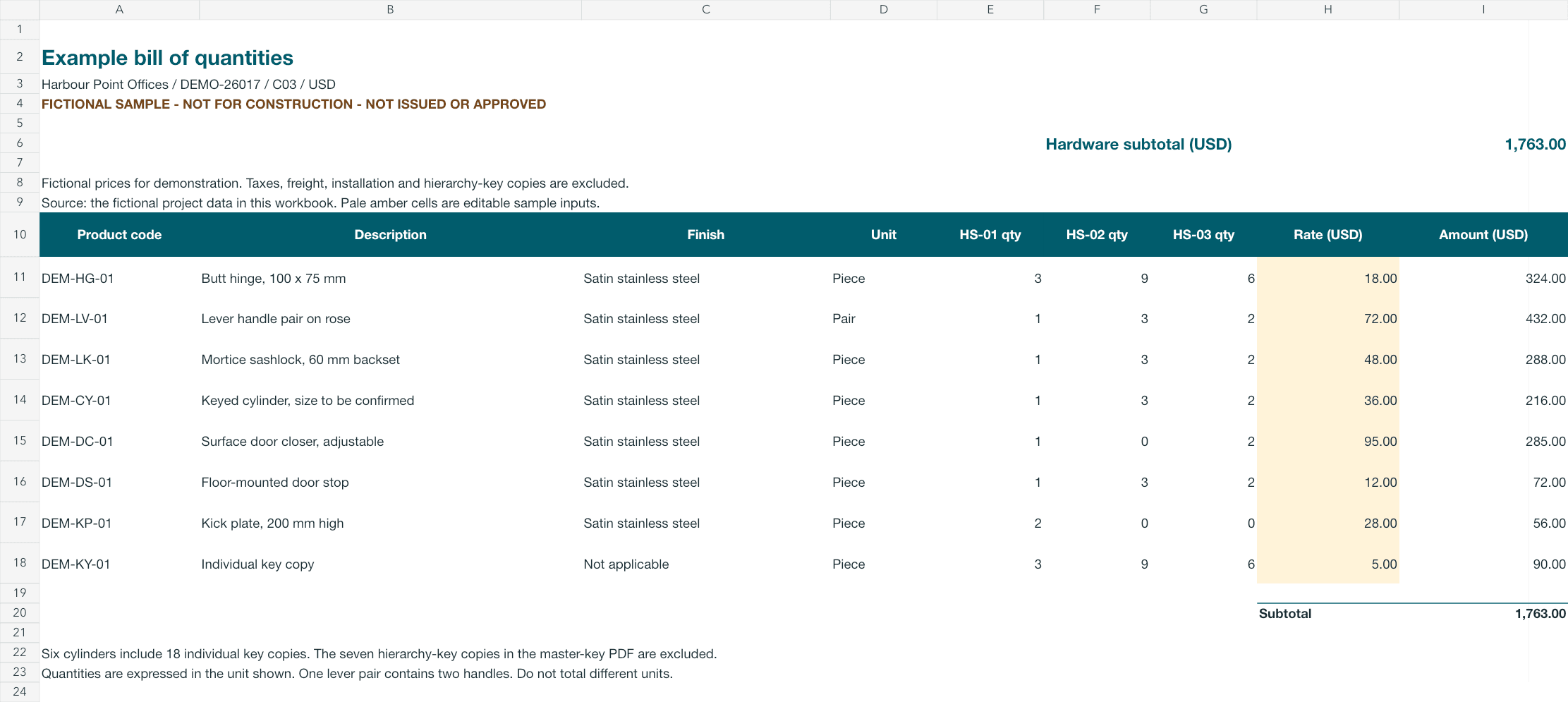
Trace eight product lines back to the door and set quantities. Change an illustrative rate to explore the calculated total.
Companion example workbook with formulas; not a live quotation.Download XLSX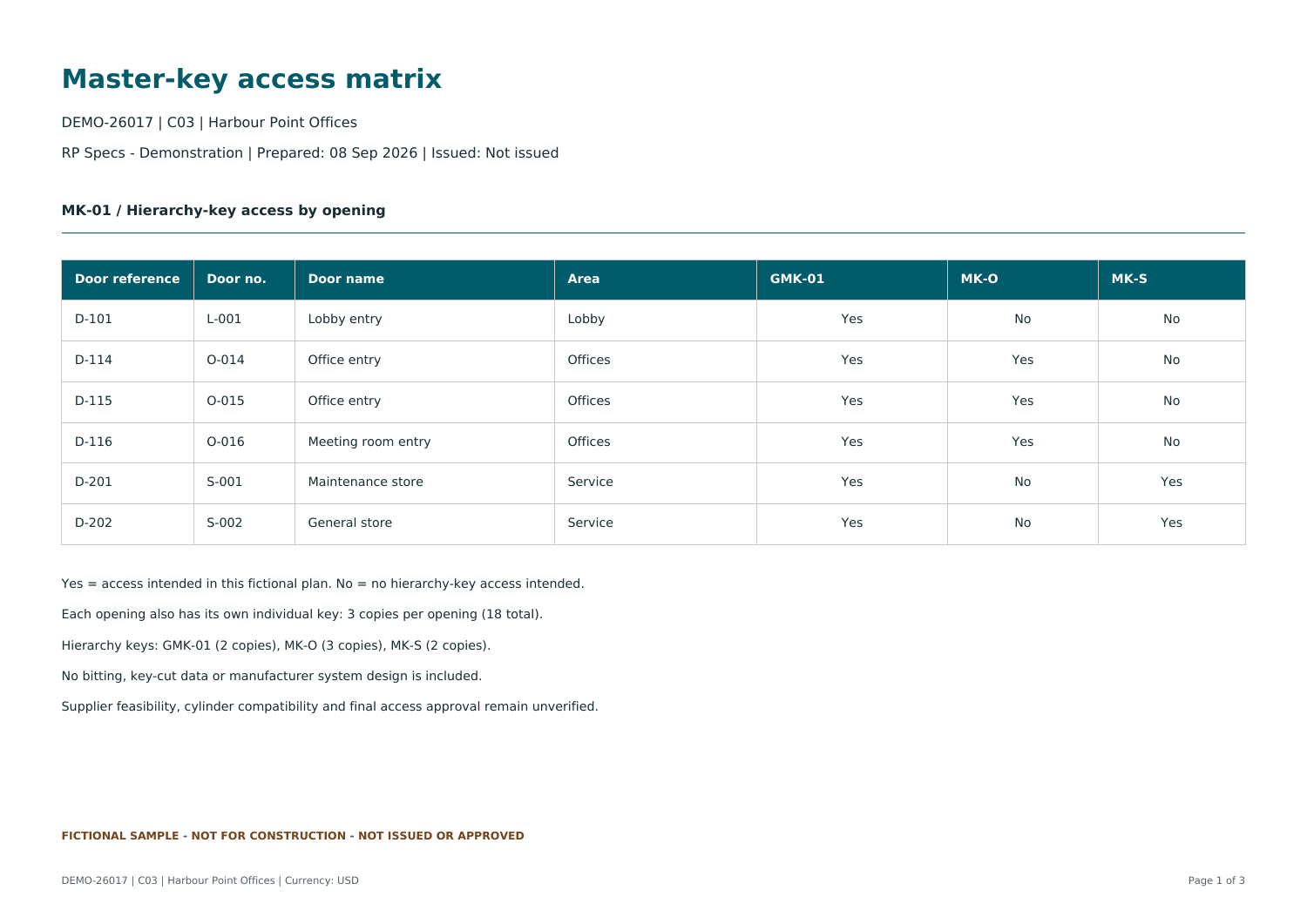
Review the grand-master, office and service access relationships across the six sample openings.
Includes an illustrative matrix and RP Specs register exports. No actual key-cut data.Download PDF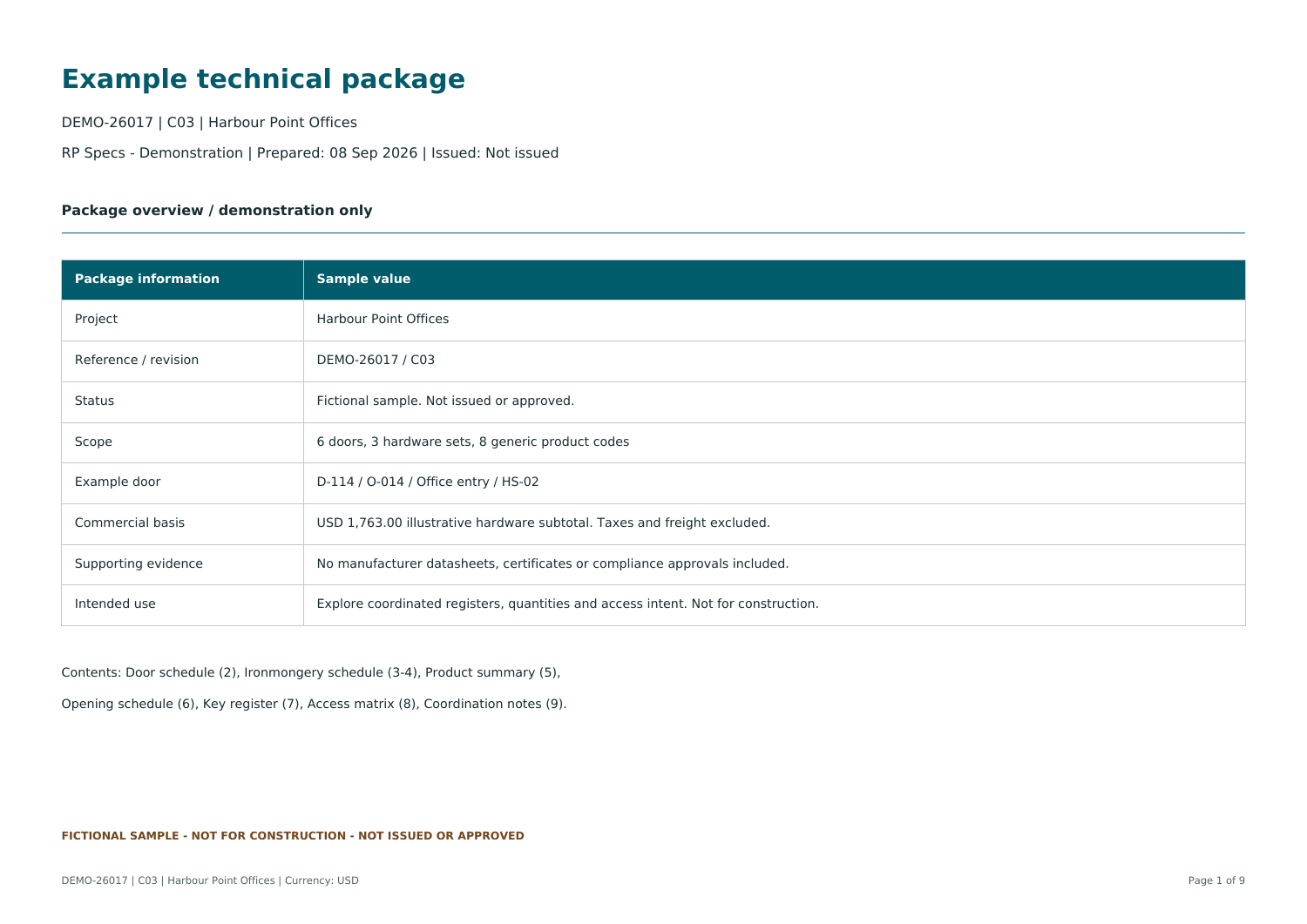
See a cover, coordination notes and selected schedule and master-key registers together in one document.
Illustrates a package structure. No manufacturer certificates, datasheets or formal issue record.Download PDFA CSV containing six sample door rows, with a guide to field mapping and validation. The template has been checked with the RP Specs import validator.
Download the ZIP, extract both files, then import the CSV into RP Specs. The ZIP itself is not an import file; the text guide explains the setup and column mapping.
Imports doors and hardware-set fields. Product catalogue items and access relationships are set up separately.
Extract the ZIP. These sample doors are master-keyed, so create exactly one Master-Key System in your demo project before importing.
Select the CSV, match its columns and inspect findings. Keep Door No. unique and one row per physical master-keyed door.
Confirm the Doors Register and set assignments before adding products.
The worked example has six doors across three sets. The BOQ subtotal is $1,763 in fictional USD rates, excluding tax, freight, installation and hierarchy-key copies. PDF register pages use RP Specs exports; covers, explanatory pages and the companion workbook were prepared for this example.
Follow D-114 through the worked example →Book a walkthrough focused on your schedules, access coordination or technical deliverables.